To retrieve secrets from Azure Key Vault there are two ways.
First, by using the azure-keyvault package and second via environment variables.
Using the dedicated packages allows you to retrieve an update secret during run time. The environment variables on the other hand are set when the application is launched and need a relaunch to updated.
From the 12-Factor App perspective, secret management can be either a backing service or Configuration. Kubernetes treats secrets as configuration data, while using a Key Vault client follows the backing-service approach. An alternative is to delegate the secrete management to the cloud and use a Managed Identity in this case with Entra ID.
Package
Add the azure-keyvault-secrets and azure-identity package to your Azure Functions App as requirements or dependencies.
pip install azure-identity
pip install azure-keyvault-secrets
Within the function use this code
from azure.identity import DefaultAzureCredential
from azure.keyvault.secrets import SecretClient

credential = DefaultAzureCredential()

client = SecretClient(
    vault_url="https://<vaultname>.vault.azure.net",
    credential=credential
)

secret = client.get_secret("<secret-name>")
print(secret.name)
print(secret.value)
This approach has the advantage that the secrets get fetched every time the get_secret method is called. Which allows you to change secrets at running time.
Further infos for the Key vault SDK check out Link or Link 2025
Store Secrets as Environment Variables
Alternatively, you can store secrets as environment variables in your Azure Functions App. This is done via the app settings (Link). To do this,
- Go to the Azure Functions App in the Azure Portal, and go to Settings > Configurations.
- Then click on the “New application setting” button.
- Enter the name of the environment variable and for the value secret identifier you copied before. Use below syntax for the value,
@Microsoft.KeyVault(SecretUri=<copied-value>)
Alternatively
@Microsoft.KeyVault(VaultName=myvault;SecretName=mysecret)
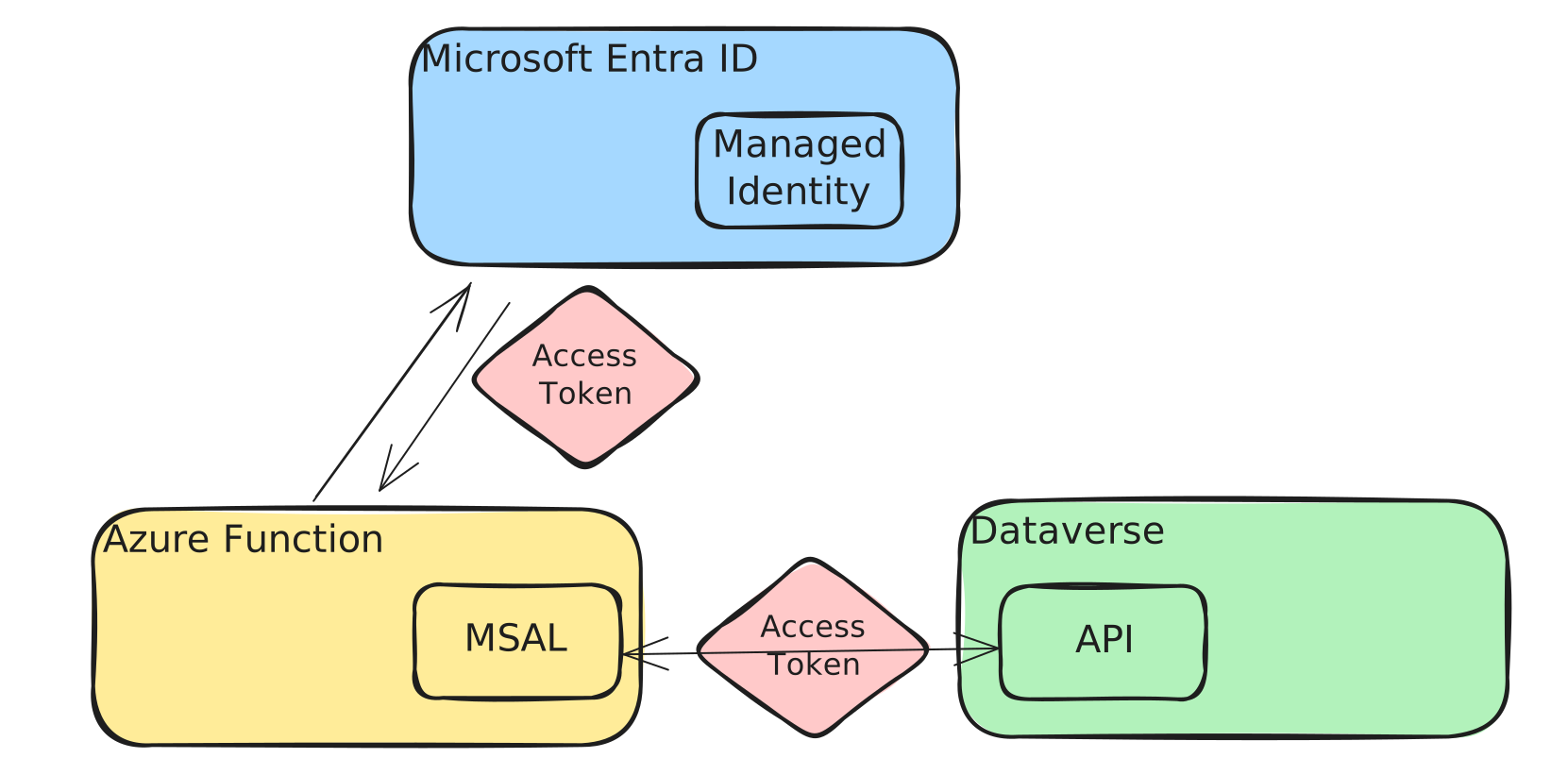
Use Manged Identities
Applications can use managed identiteis to obtain Microsoft Entra ID tokesn witout having to manage any credentials.
Managed identities provides automatically a managed identity in Microsoft Entra ID for applications to use when connecting to resources that support Microsoft Entra authentication.
- System-Assigned Managed Identity: is enabled directly on an Azure service instance.
- User-Assigned Managed Identity: is a standalone Azure resource and can be assigned to more than one Azuzure Serivce instance.
Links
https://dynamics-chronicles.com/article/managed-identities-azure-dataverse